 MrGripper

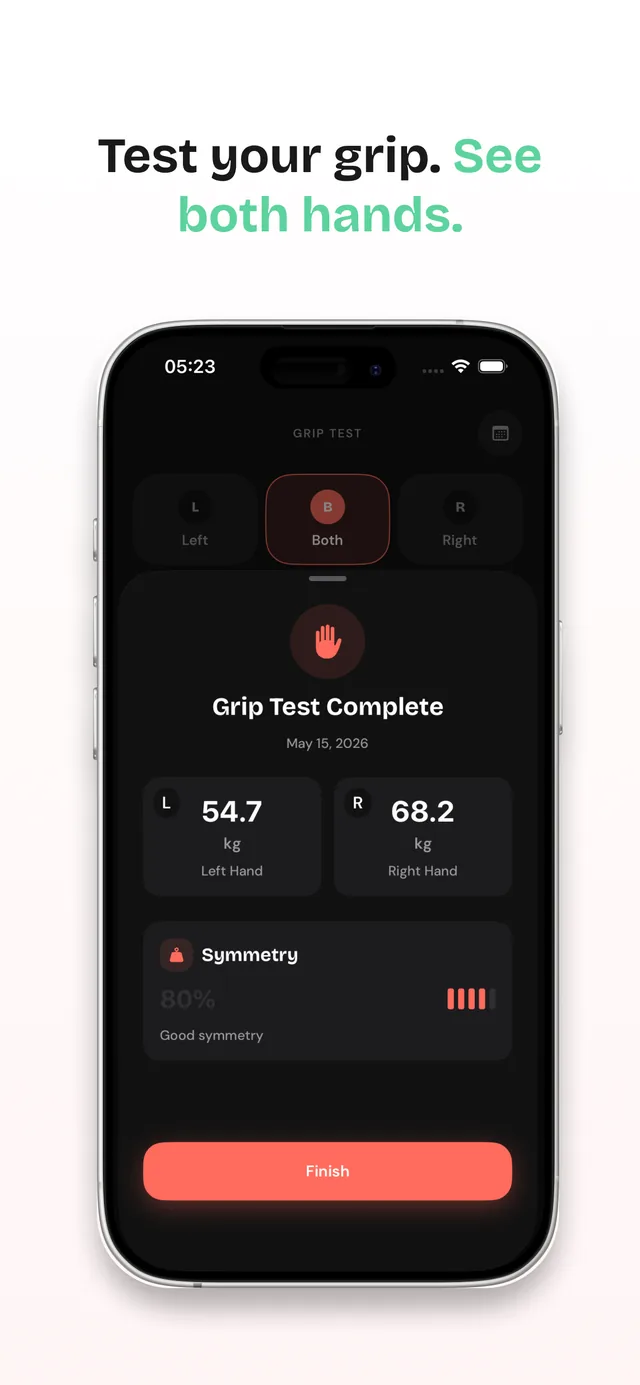
A symmetry score, not one total
Sets and grip tests are logged per hand, so the dashboard can score left–right balance. Generic logs merge both hands into one number and hide imbalances until they hurt.
Grip Strength: MrGripper is an iPhone app built only for grip: dynamometer grip tests with a left–right symmetry score, per-hand set logging, and personal records per exercise, equipment, load, and hand — clear numbers, not guesswork.
Built for gripper training, climbing, grappling, calisthenics, heavy pulls, and rehab — anyone who wants hand strength they can measure.
Free to download · Optional Pro subscription · No special hardware required
Native iOS design, bold numbers, and screens built around one job: making your grip training measurable.
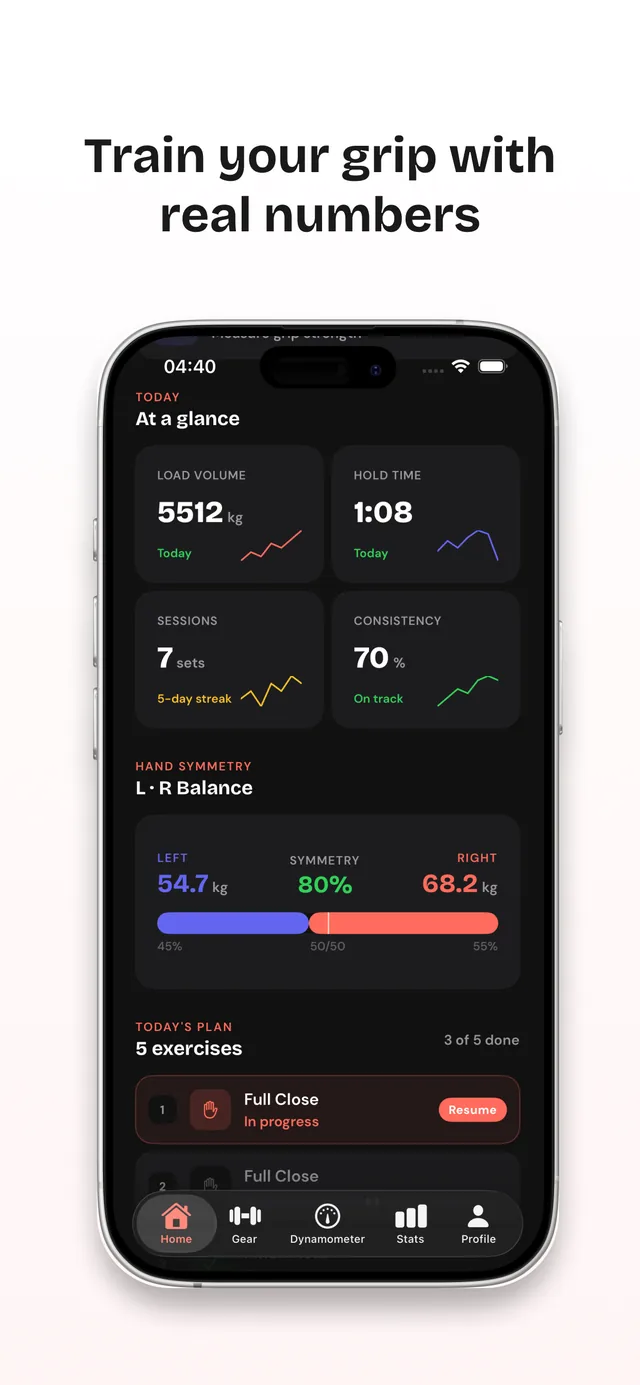
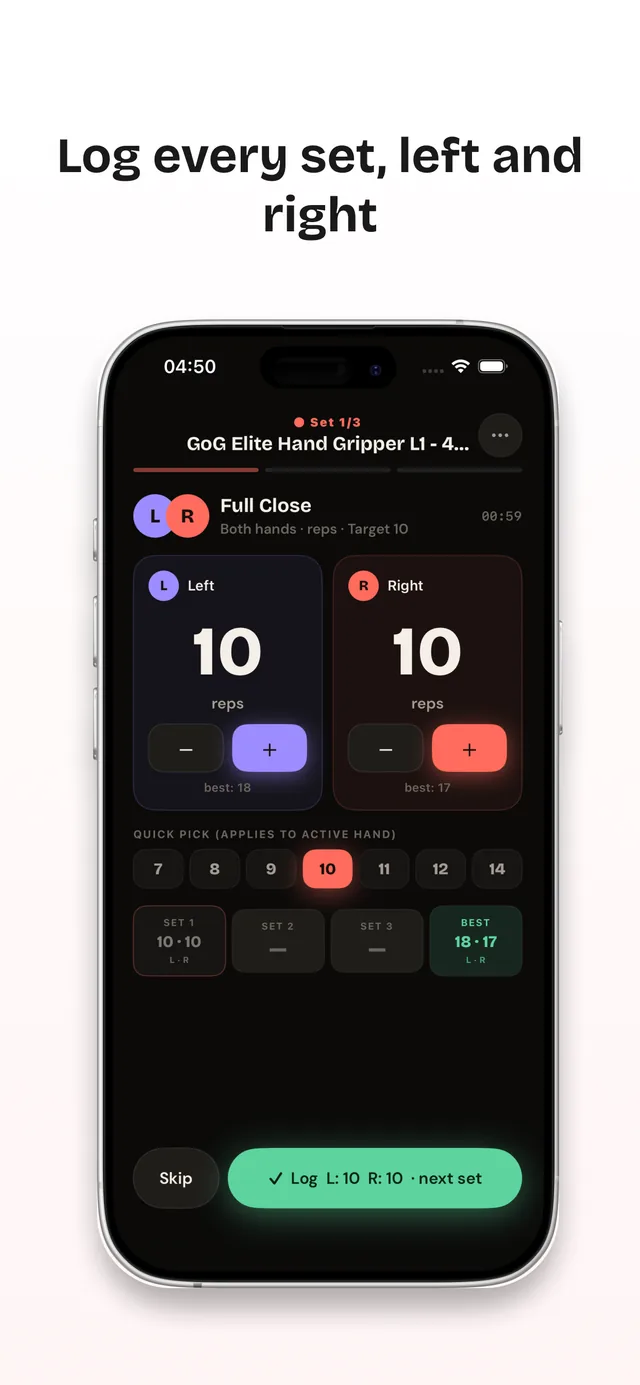
Any workout app can count reps. MrGripper answers the questions grip training actually raises — is the weaker hand catching up, is your tested strength moving, and which gripper, board, or load did you really beat — whether you train for grip sport, climbing, grappling, lifting, or rehab.
Sets and grip tests are logged per hand, so the dashboard can score left–right balance. Generic logs merge both hands into one number and hide imbalances until they hurt.
A dedicated grip test measures left, right, or both hands and turns readings into clear summaries — with any dynamometer you own, not a proprietary Bluetooth gadget.
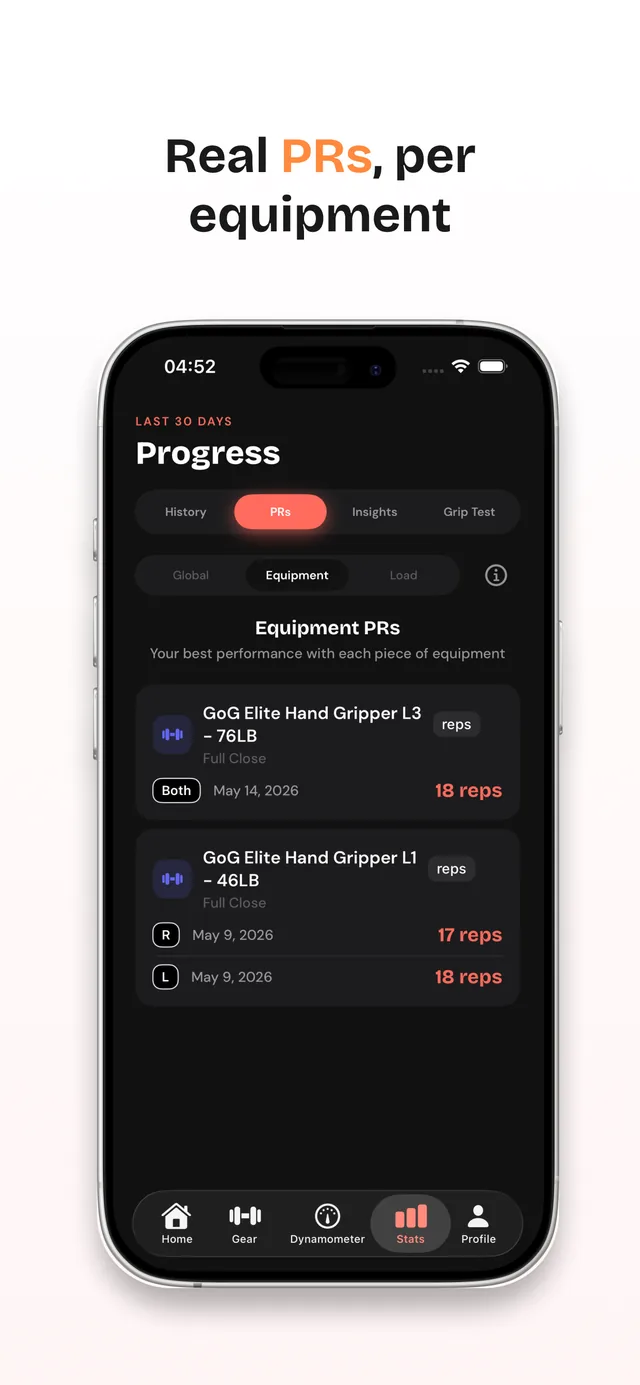
Closing a harder gripper is a different record than more reps on an easier one. PRs are tracked per exercise, equipment, load, and hand — so a new best means something.
Onboarding seeds your equipment types and exercise library from what you actually train with — grippers, hangboards, rings, bands, or pinch gear.
Save workout programs with target sets, reps or hold time, and rest. Tap a template, train, and log each hand in a few taps.
Run dynamometer grip tests for the left, right, or both hands and get summaries with a symmetry score.
Weekly insights track consistency, hold time, and load volume separately, and PRs update per exercise, equipment, load, and hand.
The free version covers real training: unlimited workouts and custom exercises, per-hand tracking, dynamometer tests, weekly insights, and three routines. Pro ($4.99/month or $29.99/year) adds per-equipment PRs, full history, unlimited routines, and CSV export — when you want it, not before. See the full free vs Pro breakdown.
Requires iOS 18.0 or later. Also runs on iPad, Apple Silicon Macs, and Apple Vision Pro. 38.6 MB download.
Not a generic gym log with "grip" bolted on. Every screen assumes your training happens at the hands.
Track closes and rep bests for each rated gripper in your gear library. Per-equipment and per-load PRs show exactly which spring you beat, and when.
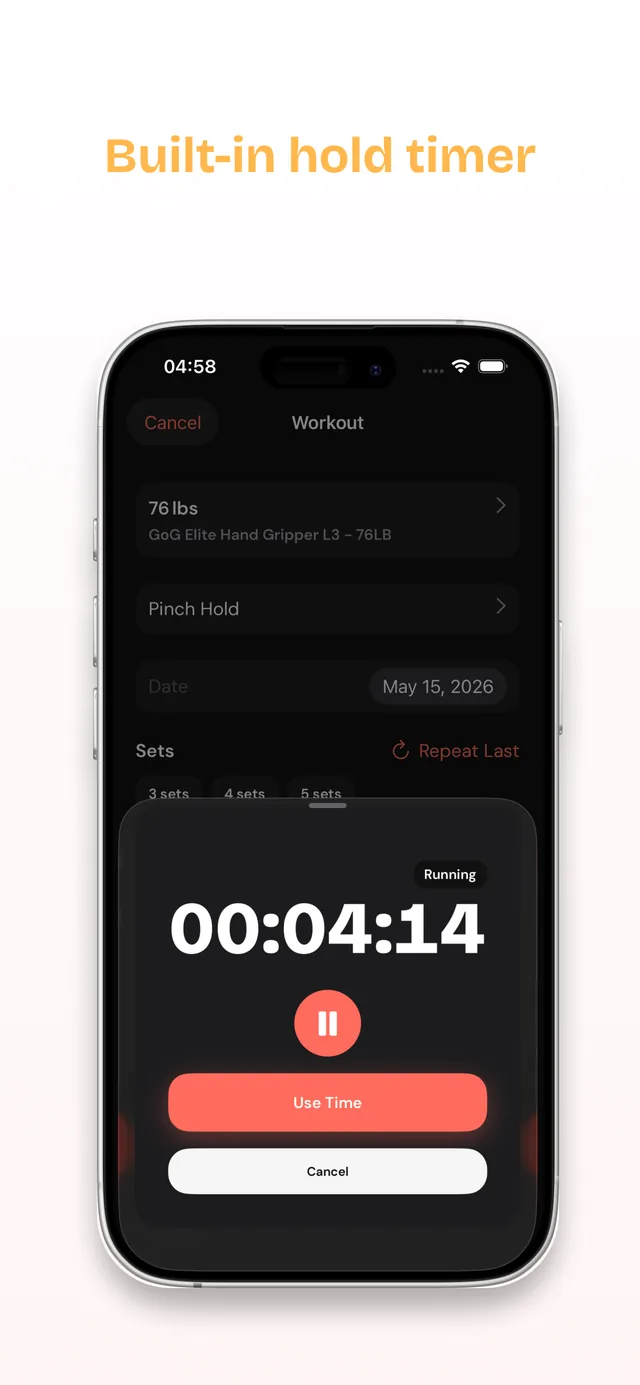
Log hangboard sessions, pinch work, and max hangs with the built-in timer. Per-hand records make contact-strength gaps visible before they become injuries.
Grip decides grips. Train crush and hold endurance, log timed holds, and watch left–right balance so your weak-side grips catch up.
Dead hangs, bar holds, and support work in one flow — max reps and max-duration holds both count, and both get tracked.
When deadlifts and carries fail at the hands, train grip like a lift: programmed sets, logged loads, and volume trends you can act on.
Record dynamometer readings per hand and watch the symmetry score close the gap — steady, measurable progress you can share with your physio.
Practical, no-fluff guides on testing and building grip strength — written to answer the question first and mention the app second.
Dynamometer protocol plus honest no-equipment proxy tests — dead hangs, gripper closes, and how to keep results comparable.
Read the guide →Reference ranges by age and sex in kg, what "good" actually means, and why your own trend beats any table.
Read the guide →One page per age band and sex — the full 5th–95th ladder in kg and lb, not the cross-age chart.
Open the set →What a normal left–right gap actually is, why the "10% rule" fails in both directions, and when a gap is worth acting on.
Read the guide →What a lower reading can mean, what a dynamometer cannot tell you, and how to compare both hands consistently.
Read the guide →Sets, reps, frequency, and a progression scheme for rated grippers — plus the plateau mistakes almost everyone makes.
Read the guide →Hangboard basics, pinch and open-hand work, and how to track finger strength without overtraining your tendons.
Read the guide →Train closing force, gi-specific endurance, and per-hand capacity with repeatable tests and a practical two-day routine.
Read the guide →Crush, pinch, and support grip explained, the exercises that build each one, and a weekly plan that fits around your sport.
Read the guide →What dead hangs actually train, how long to hang at each level, and how to progress from 20 seconds to one-arm work.
Read the guide →Compare training-first, measurement-first, and device-first grip tracking by workflow, hardware, manual entry, and full setup cost.
Read the comparison →How manual entry and equipment-agnostic workout logging let you track grip without buying a matching Bluetooth sensor.
Read the guide →Yes. The free version includes unlimited workouts and custom exercises, up to 5 pieces of equipment, full per-hand tracking, dynamometer grip tests, guided workouts, weekly insights, a 30-day history window, and three routines.
An optional Pro subscription ($4.99/month or $29.99/year — the monthly plan starts with 3 days free) adds per-equipment and per-load PRs, equipment photos, 90-day insights with full history, unlimited routines, and CSV export. See what Pro adds and when to upgrade.
No. Unlike trackers tied to a proprietary device, MrGripper works with whatever you already own — grippers, hangboards, rings, bands, pinch gear, or custom tools. Grip-test readings from any dynamometer are recorded by entering the number. See how it compares in our guide to the best grip strength app without a Bluetooth dynamometer.
General-purpose trackers treat grip as one more exercise slot. MrGripper is built only for hand and grip work: a dedicated dynamometer grip-test flow, per-hand logging with a left–right symmetry score, personal records per exercise, equipment, load, and hand, and exercises for grip sport, climbing, grappling, calisthenics, lifting, and rehab.
If grip is what you're training, that depth is what makes the numbers actionable.
Yes. Every set can be logged per hand or both together, grip tests record left, right, or both, and a symmetry view shows the balance between hands. Learn why one hand can test weaker and how to compare both sides.
iPhone and iPad (iOS/iPadOS 18.0 or later), Mac (macOS 15.0 or later on Apple Silicon), and Apple Vision Pro (visionOS 2.0 or later). The interface is available in English, German, Russian, and Spanish.
Yes. MrGripper is offline-first: log workouts and review your training data anywhere, no connection required.
The App Store privacy label lists only Usage Data and Diagnostics, collected in a way that is not linked to your identity. Details are in the privacy policy.
Use a hand dynamometer for a measured reading, or practical proxy tests like a max dead hang or a rated gripper close. Test each hand separately and repeat under the same conditions so results stay comparable. Learn more in the testing guide.